
How To Access Payment Gateway Reports
To see reports in the Payment Gateway:
- Log into https://secure.touchnet.com/ucommercecentral
- Your username will be the username provided in the email sent to you when the store was requested. It starts with "C20249."
- This username and password is not the same as your eWeber username and password.
- If you have more than three unsuccessful attempts or cannot remember your username or password then please contact the TouchNet Administrator.
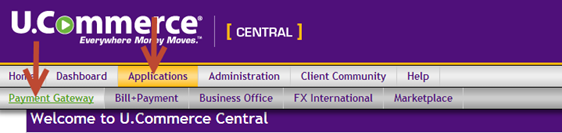
- Click on:
- Applications
- Payment Gateway
- Reports
- Report results may be exported to Excel by clicking the "Export to CSV" button.