
How To See Payments Made in MarketPlace
To see payments made through a MarketPlace Store:
- Log into https://secure.touchnet.com/ucommercecentral
- Your username will be the username provided in the email sent to you when the store was requested. It starts with "C20249."
- This username and password is not the same as your eWeber password.
- If you have more than three unsuccessful attempts or cannot remember your username or password then please contact the TouchNet Administrator.
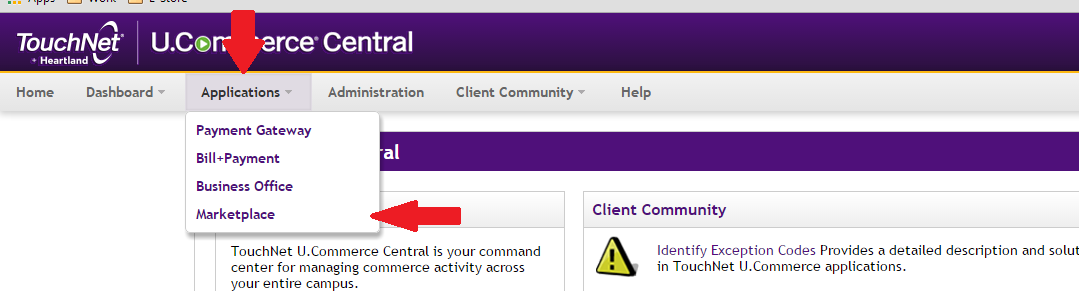
- Click on:
- Applications
- MarketPlace
- MarketPlace Reports
- Stores
- Your Store Name
- By Product
- Enter the date range you would like to see purchase information for.
- Click on the product name to see purchase details for the given product.
- For friendlier viewing, click "Export to CSV" and the details will open in Excel.