

Burning Software
You will need a blank disk (CD or DVD), an iso to burn, a CD or DVD burner, and the burning software. We'll assume you've already downloaded the iso from DreamSpark, have a burner and some blank media but do not have any burning software. We'll use one named Active@ ISO Burner. You can get it from http://download.cnet.com/Active-ISO-Burner/3000-2646_4-10602452.html.
Once you've downloaded it, run the program. The Active ISO Burner application window will appear.
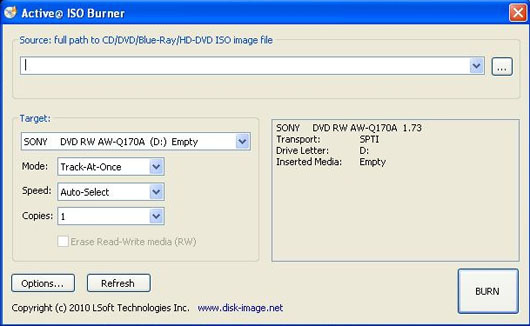
Click on the "..." button off to the right, next to the first menu, and select the iso.
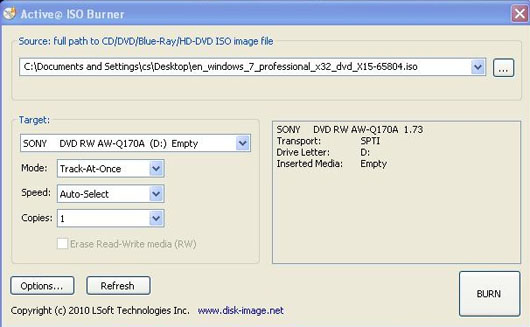
Lastly, click the Burn button.
Allow it to finish, it will take a few minutes for the larger programs. You are now ready to use the disk you just burned.